Instructions

Edit project tags

1. Select CMS tab
2. Select “Project Tags CMS List”
3. Select wanted tag and Rename/Edit or Delete the same
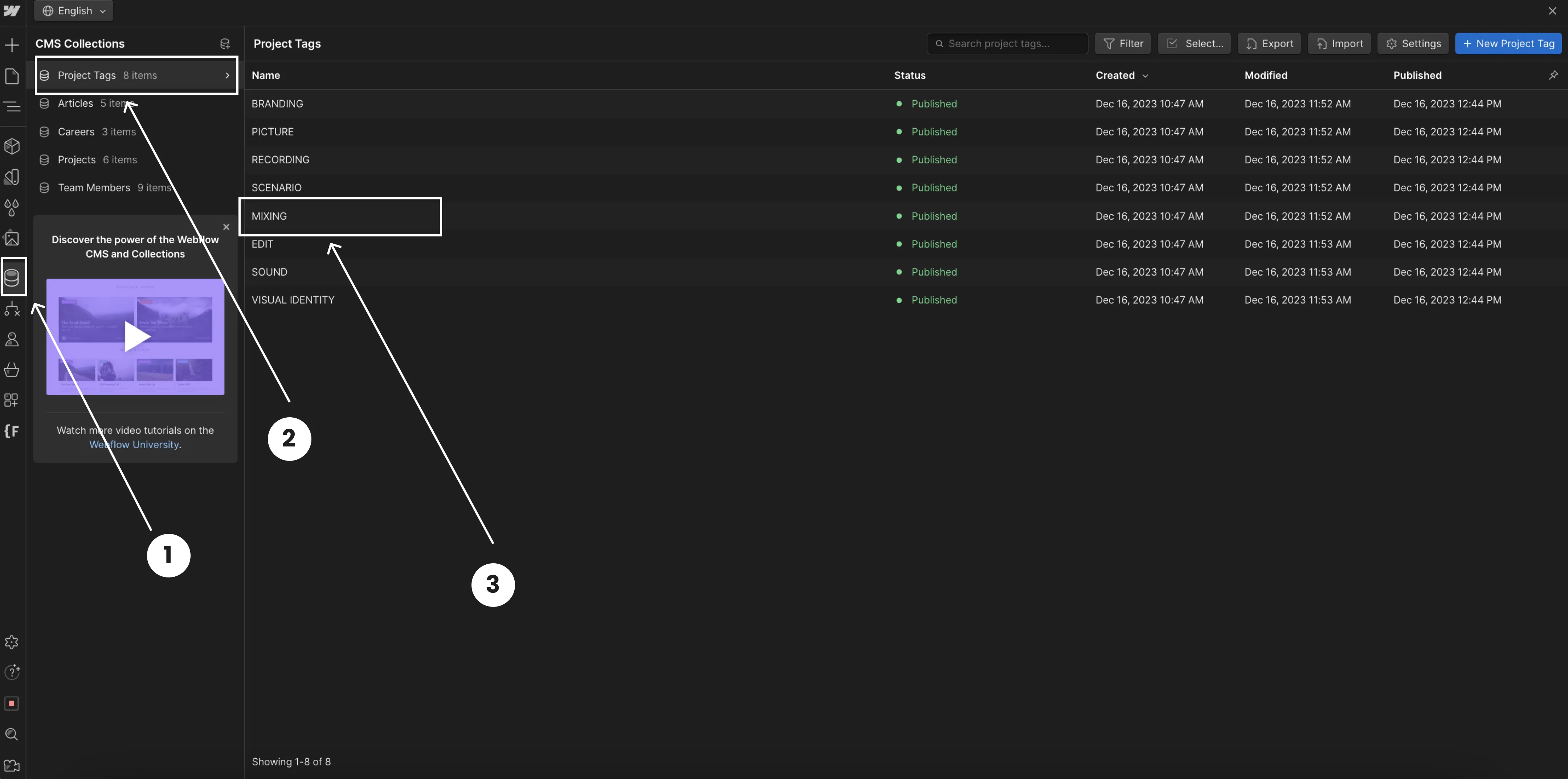
Webflow CMS interface displaying Project Tags collection with eight tags listed including Branding, Picture, and Mixing, all marked Published with creation and modification dates.

Edit projects

1. Select CMS tab
2. Select “Project CMS List”
3. Select wanted project
4. Go to the “Project tags” and pick wanted project tag
5. Don't forget to save changes
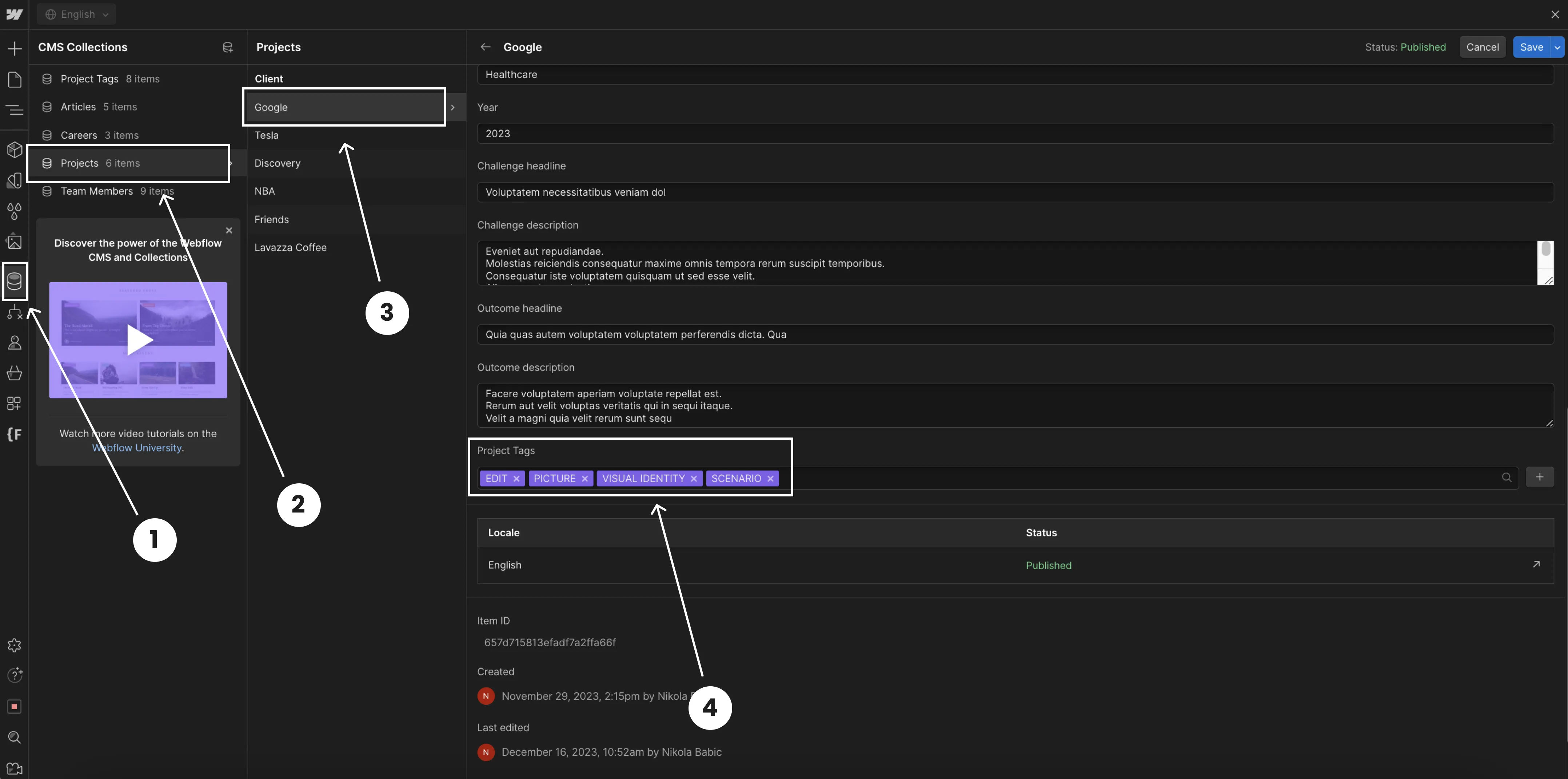
Webflow CMS dashboard with annotations highlighting the Projects collection, selected Google project, and project tags including Edit, Picture, Visual Identity, and Scenario.